
01 / START FROM SCRATCH
Your next city starts with a line.
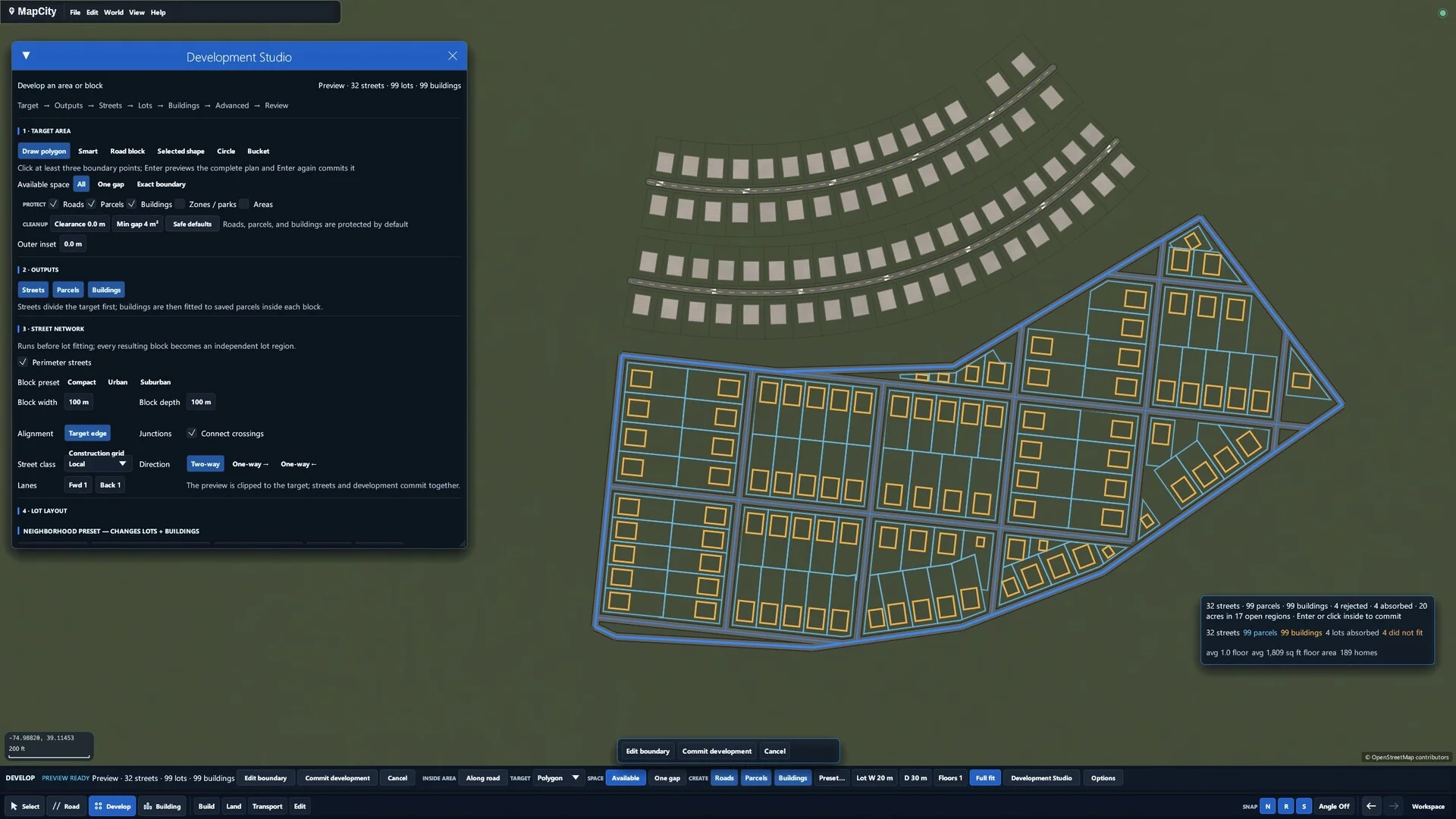
Draw streets, place buildings, and shape entire neighborhoods. Work by hand with snapping and curves, or generate an editable layout and make it yours.
YOUR CITY. YOUR CANVAS.
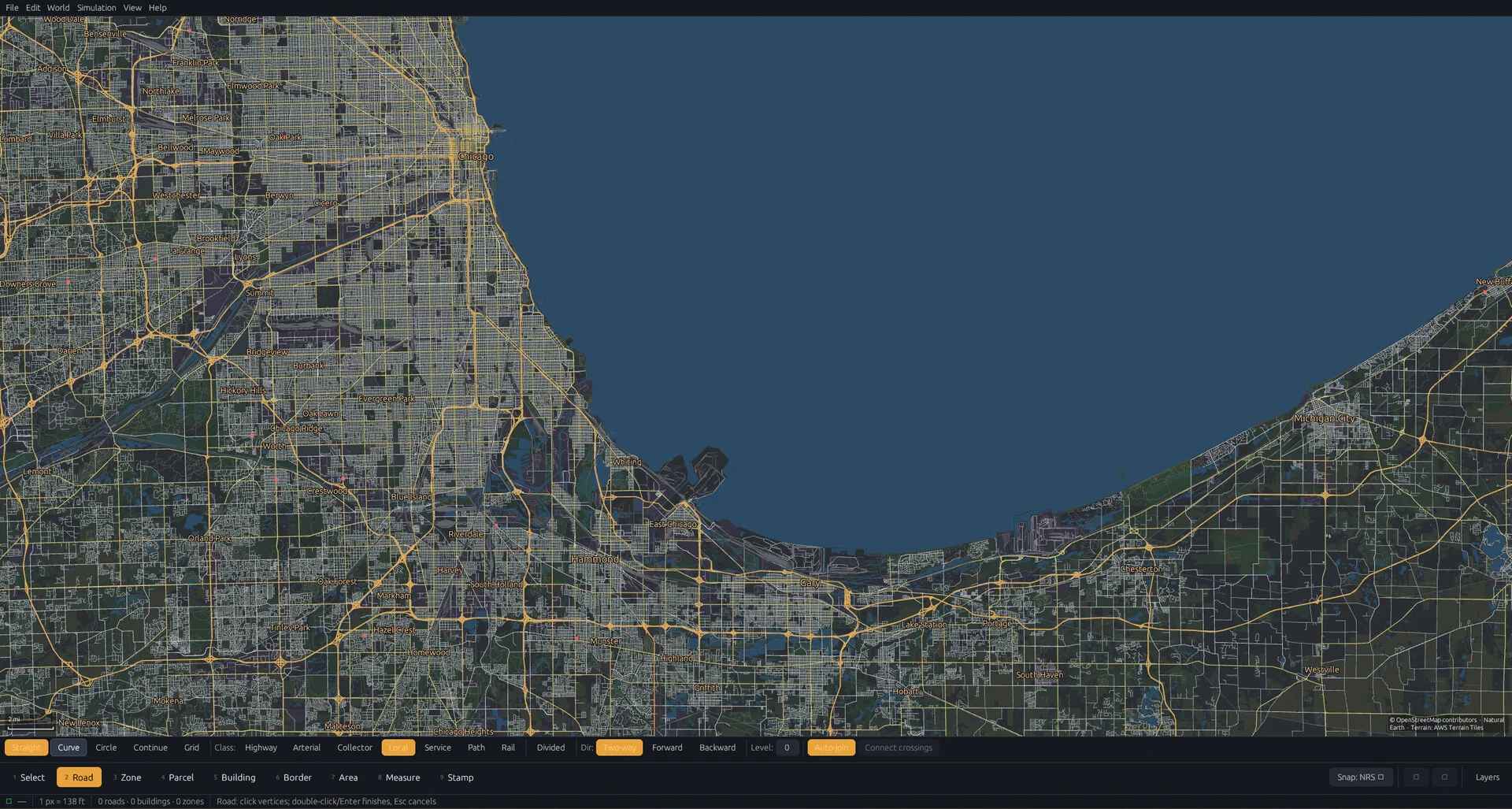

A city-building sandbox and map-drawing tool where the map itself is your canvas.
Start with an empty world or a real place. Draw roads, buildings, and neighborhoods. Make every part of the map your own.
Availability, pricing & updates on Steam
MAKE ROOM FOR YOUR IDEAS
From the first road to the last city block,
you’re in control.
Draw streets, place buildings, and shape entire neighborhoods. Work by hand with snapping and curves, or generate an editable layout and make it yours.
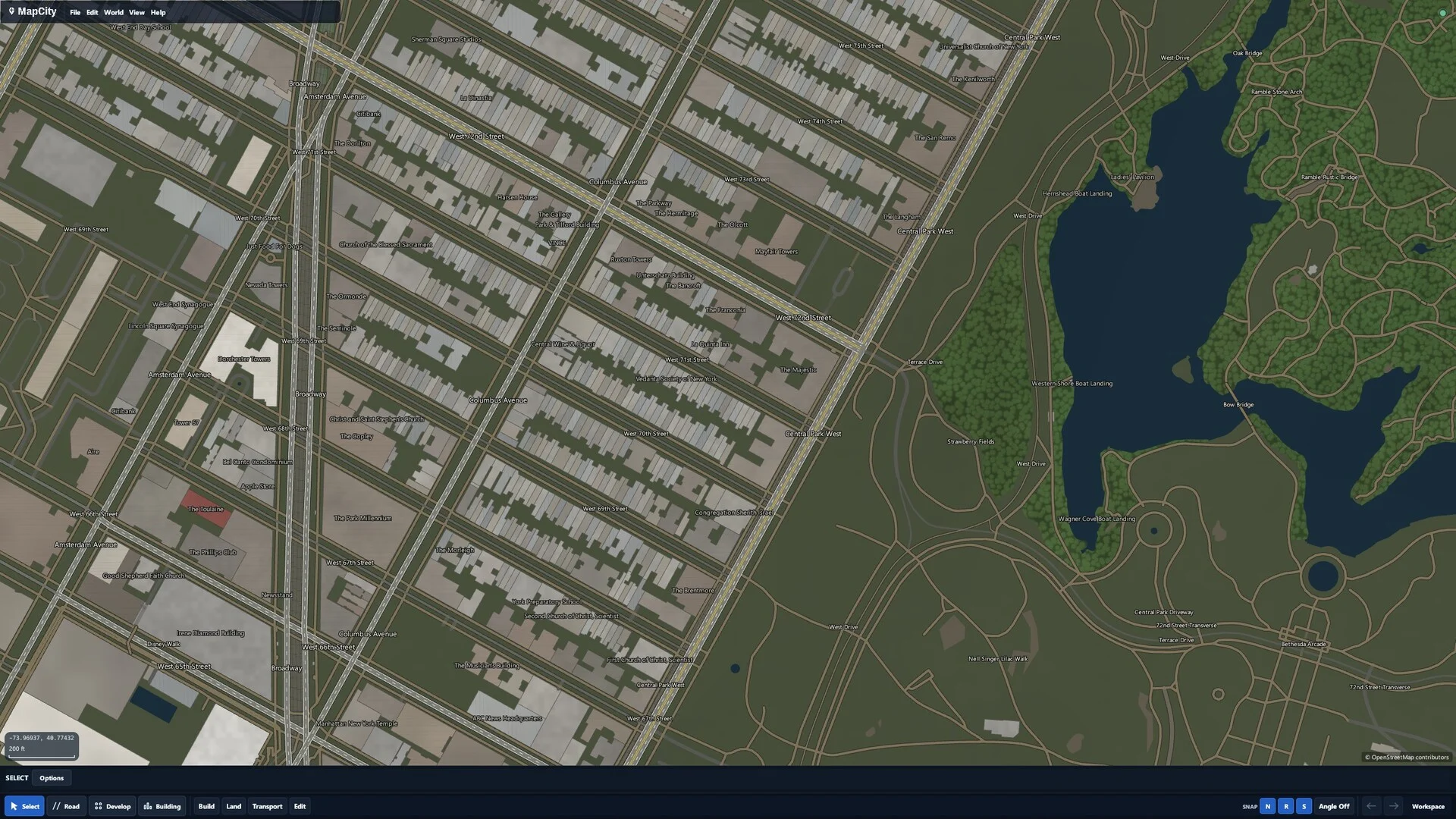
Start with real-world map data. Redesign a block, extend a town, or take a whole region in a new direction. Existing roads and buildings are yours to edit.
Create streets, parcels, land, water, and boundaries. Select, reshape, duplicate, or delete as your ideas evolve.
Work on a village, a downtown, or a wider region. Pan and zoom between the small details and the bigger picture.
Adjust themes, layers, and draw order to give your map its own character and bring the details you care about into view.
THE DETAILS
A few things to know about
your next blank canvas.
MapCity is a city-building sandbox and map-drawing tool for Windows. Draw roads, buildings, land, water, and boundaries directly onto a map. It is a creative editor: there are no budgets, unlock trees, or fail states, and the current experience does not simulate a living city economy or moving traffic.
Yes. Start with a blank project and draw your own streets, buildings, neighborhoods, and regions. Place objects by hand or use development tools to generate editable layouts, then reshape the results. You decide what gets built.
Yes. Import OpenStreetMap data or start with an available optional map-data module. Edit existing places, redraw a neighborhood, or extend a road network. Your project stores your edits separately from installed source map data.
No. You can start with a blank map. Continent-scale real-world data is an optional download and is not included in the base installation. Large modules can exceed 100 GB, so check the relevant Steam DLC page for availability and storage requirements.
MapCity is a downloadable Windows application available through Steam. It runs on your computer, rather than in your browser. See the Steam listing for current availability and system requirements.
The fully supported experience is the top-down 2D map editor shown here. 3D views, terrain sculpting, parking, water transport, and the 3D building editor are experimental and off by default. They can be enabled in Settings → Experiments; large scenes may be slow or unstable.
Visit the MapCity Steam community to ask questions, report issues, and share feedback. The roadmap below outlines current priorities. Check Steam for release updates, pricing, and availability.
STILL TAKING SHAPE
Current development priorities.
Plans can change as MapCity grows.
Improve large-map performance, loading, and importing so navigating and editing detailed regions feels more responsive.
Refine map detail, labels, land and water presentation, and zoomed-out views to make complex places easier to read.
Keep improving drawing and development workflows, shape finishing, and the small interactions that make creating feel natural.
PICK A PLACE. MAKE IT YOURS.